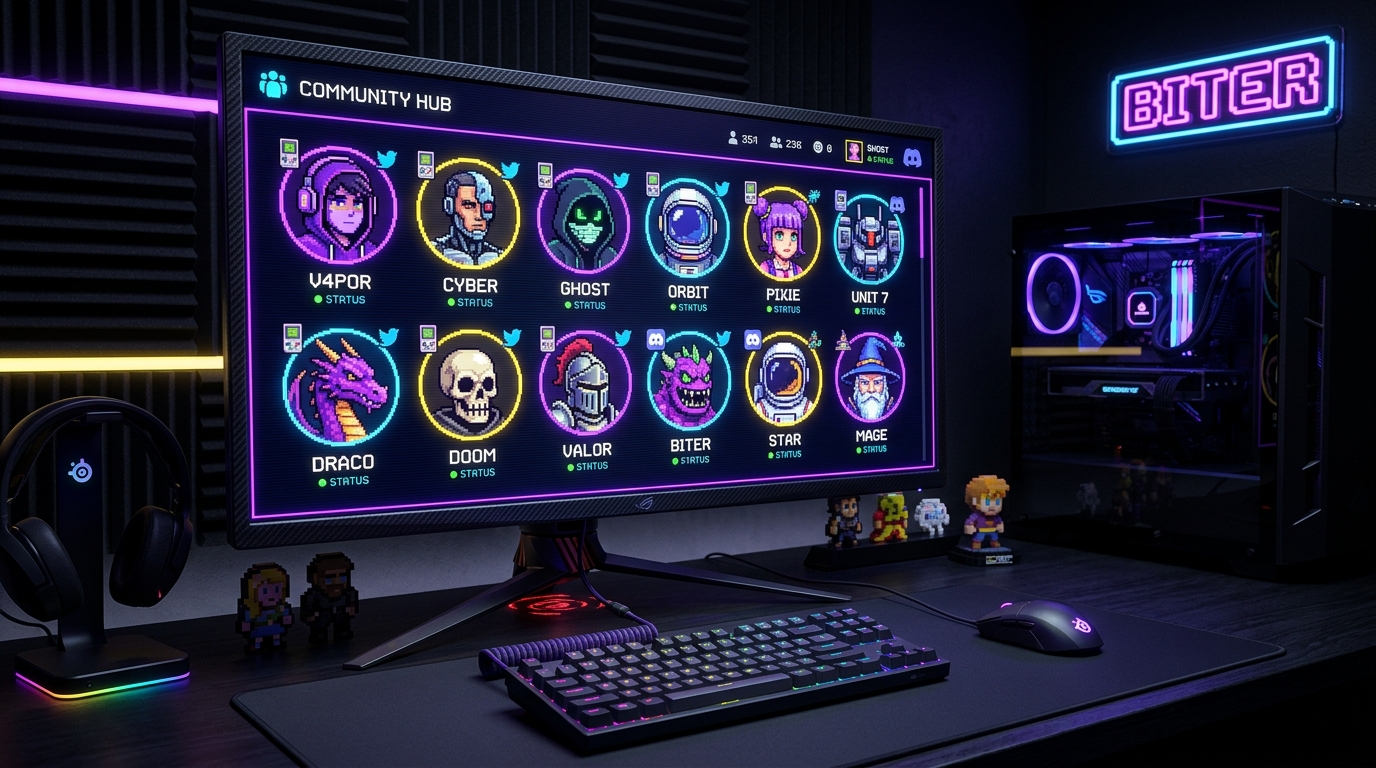
In an era of generic AI photorealism, retro 8-bit pixel art avatars stand out with unmatched personality. On Discord, Twitter/X, Steam, Twitch, and GitHub, an 8-bit avatar signals gaming heritage, indie hacker culture, and distinct creative taste.
Yet turning a real human face into a recognizable 8-bit sprite is notoriously tricky. Reduce the resolution too far, and your portrait looks like distorted digital noise; don’t reduce it enough, and it loses its vintage arcade charm. In this guide, we’ll explore the precise science of avatar sprite resolutions, circular crop framing, high-contrast palette selection, and how to export crisp 512×512 files that never turn blurry.
Why Pixel Art Avatars Dominate Discord, Twitter, and Gaming
A great profile picture must communicate your identity in a tiny 32-pixel circle on a mobile screen. Photorealistic photos fail in small chat feeds because subtle facial details get crushed.
8-bit pixel art excels precisely because it relies on bold outlines, iconic color blocking, and exaggerated contrast. Just like Mario, Mega Man, and Pokémon sprites were engineered to be instantly recognizable on 160×144 CRT screens, a well-crafted pixel PFP pops immediately in any crowded server sidebar.
Step 1: Choosing the Perfect Sprite Resolution (16px vs 24px vs 32px)
The soul of pixel art is resolution abstraction. Choosing your pixel grid determines the aesthetic of your character:
| Grid Size | Aesthetic Style | Best For | Detail Level |
|---|---|---|---|
| 16×16 Sprite | Ultra-Chunky Pico-8 / Atari 2600 | Silhouettes, glasses, bold beards, pets | Extreme abstraction, iconic shapes |
| 24×24 Sweetspot | Classic NES / Game Boy Color | Human portraits, selfies, expressive eyes | Perfect balance of facial likeness & retro charm |
| 32×32 Hi-Def | Super Nintendo / Sega Genesis | Detailed hairstyles, clothing logos, gradients | Maximum detail with clear square pixels |
Step 2: Mastering the Circular Profile Mask
95% of social platforms crop your square avatar into a circle. The most common amateur mistake is composing a great square pixel art piece, only to upload it and discover their chin, headphones, or hat have been sliced off by the circular boundary!
- The Eye-Line Rule: Position your eyes approximately 35% from the top of the canvas. This keeps your gaze dead-center in Discord's circular crop.
- Shoulder Framing: Angle your shoulders slightly so they sweep smoothly into the bottom curve of the circle rather than terminating abruptly.
- High-Contrast Edges: Add a 1-pixel dark outline around hair and clothes. This prevents your avatar from blending into Discord's dark mode background (
#313338).
In the Pixelify 8-Bit PFP Maker, we built in a live Circular Discord Mask Toggle. You can preview exactly how your avatar will look inside Discord’s circular ring before you download!
Step 3: Choosing an Iconic Gaming Color Palette
The color palette gives your avatar its emotional tone:
- Discord Cyberpunk Neon: Electric cyan, hot magenta, and deep indigo. Perfect for dark-mode gamers and tech creators.
- Retro Game Boy (DMG-01): Authentic 4-shade olive green. Instantly recognizable nostalgia for 90s handheld enthusiasts.
- Vaporwave Sunset: Pastel pink, soft teal, and lavender. Aesthetic and dreamy.
- NES 8-Bit Arcade: Bold primary red, royal blue, golden yellow, and pure black. Authentic 1985 arcade console vibes.
Step 4: The Blurry Avatar Trap (Nearest-Neighbor Scaling)
If you create a 24×24 avatar and save it as a 24×24 file, what happens when Discord stretches it to 128×128? The browser applies Bilinear Resampling, turning your crisp squares into a blurry, out-of-focus smudge!
To keep pixels razor-sharp on Retina and 4K displays, the image must be upscaled using Nearest-Neighbor (Point Sampling) Interpolation to an exact integer multiple (such as 512×512 px). Pixelify handles this automatically: clicking "Download 512×512 PFP" exports a pre-scaled lossless PNG with zero blur and zero watermarks.
Step 5: Creating Animated Looping GIFs for Discord Nitro
Discord Nitro subscribers can display animated looping avatars. While the free web version produces pristine static 512×512 PNGs, the Pixelify Android App includes a live camera engine that records multi-frame animated pixel loops:
Get Animated Nitro Avatars in the Android App
Download Pixelify free on Google Play to record live animated avatars:
- Live Pixel Selfie Camera: Preview your animated 8-bit face in real time through your phone’s camera.
- Looping GIF Export: Output seamless Discord Nitro-ready GIFs in 1 tap.
- 14 Retro Shaders: Layer CRT scanlines, RGB chromatic split, and VHS tape glitch.
Frequently Asked Questions (FAQ)
What size should an 8-bit profile picture be for Discord?
Discord displays avatars at 128×128 on desktop and smaller on mobile, but accepts uploads up to 512×512. The secret is to create your artwork at a low resolution (like 24×24 or 32×32) and upscale it cleanly using Nearest-Neighbor scaling to 512×512 so it remains razor-sharp.
Why does my pixel art avatar look blurry when I upload it to Twitter or Discord?
Most standard photo editors use Bilinear or Bicubic resampling when scaling images, which blurs crisp pixel edges into fuzzy gradients. Pixelify automatically applies Nearest-Neighbor integer interpolation, preserving 100% hard square pixels.
How do I center my face so the circular mask doesn’t cut off my chin or hair?
In Pixelify’s 8-Bit PFP engine, turn on the "Circular Discord Mask: ON" toggle. Keep your eyes in the upper third of the circle and leave 4–6 pixels of empty space or hair at the top to prevent clipping.
Can I create animated GIF avatars with Pixelify?
The web tool exports crisp static 512×512 PNGs. To generate looping animated GIF avatars for Discord Nitro, download the free Pixelify Android app which includes animated multi-frame recording and retro glitch shaders.
Do I need good lighting for my selfie conversion?
Yes! Strong directional front lighting with distinct shadows produces the best pixel avatars. Avoid washed-out backgrounds or heavy backlighting, which can cause facial features to flatten during color quantization.